Specimen Plates
Presentation · 9:16 · 14 s
Details- Presentation · 9:16 · 14 s
- Runs in Claude Code
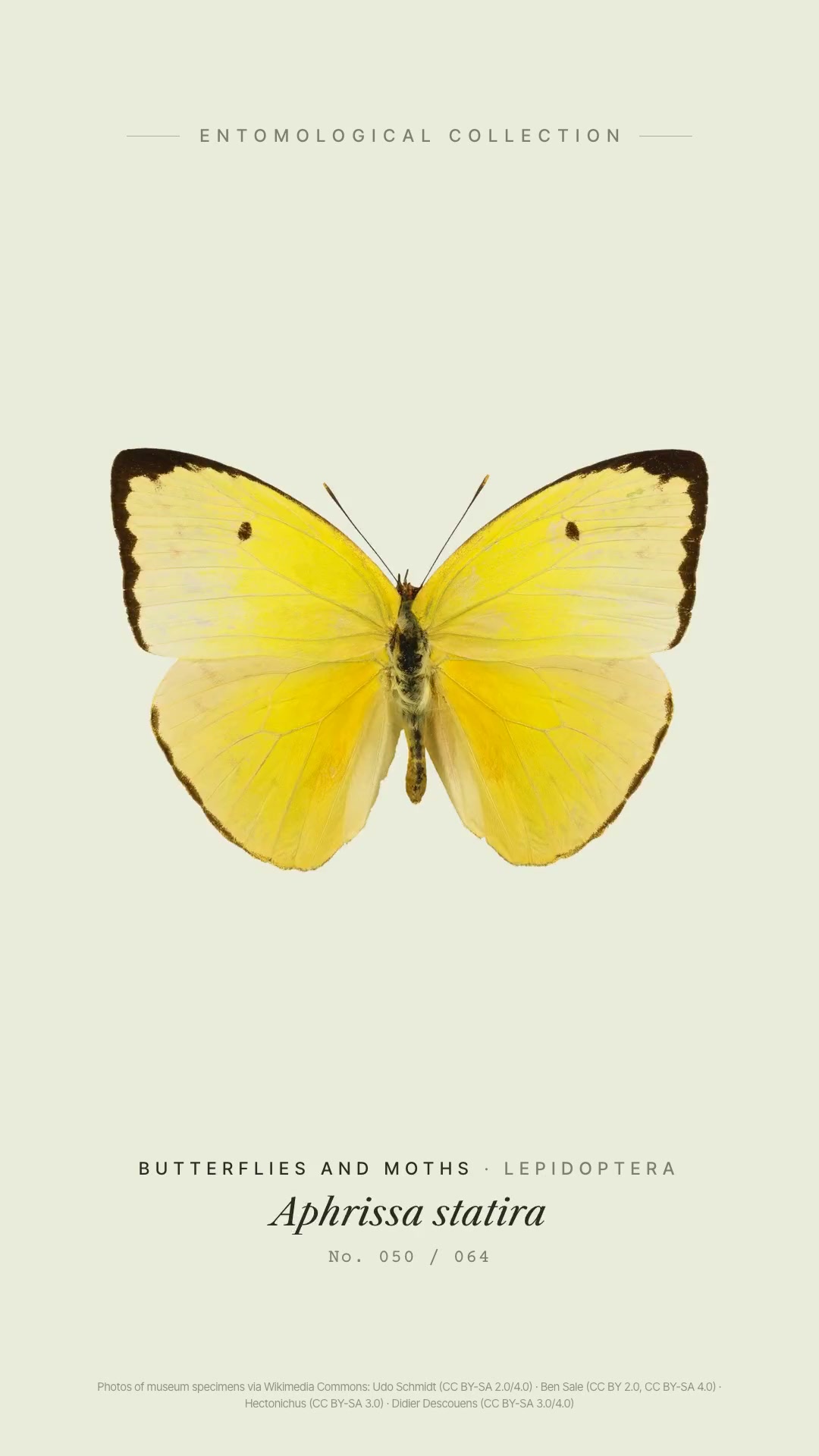
A museum collection flipped at 9 specimens per second: one creature at a time, cut out on flat cream, with a discreet label and a new color at each change.
A museum collection flipped at 9 specimens per second: one creature at a time, cut out on flat cream, with a discreet label and a new color at each change.
Details
The look has three signatures. A lone museum specimen on flat cream: a real macro photo, seen from above, cut out without shadow and centered on the body (not on the bounding box, so a long antenna doesn't shift the creature), on a sage-cream with no texture or vignette, head pointing up. A flip-through at 9 specimens per second: a hard cut every 1/9 s, a still image between cuts, and a perfect loop in which the last specimen joins the first. And a color parade, in which each neighbor contrasts with the previous one, in blocks by shape. Below the specimen, a discreet collection label mimics a museum drawer: the group in spaced small caps, the scientific name in serif italics, and the typewritten number, with a header at the top and the photo credits in the footer. The example has 64 specimens (48 beetles and 16 butterflies and moths of species recorded in Brazil) in about 7 seconds. The skill finds photos of museum specimens on Wikimedia Commons, with a license filter, cuts them out by color while preserving antennae and legs, normalizes the size, builds everything as HTML pages rendered frame by frame (GSAP, Playwright, and ffmpeg), and synthesizes a soundtrack at 135 bpm in which each sixteenth note is a specimen, with a card snap on each change. The style also works for other collections, like shells or minerals, with plain-background photos. Requirements: Node 20 or newer, ffmpeg, and python3, with internet access to find the photos. Cutout with Vision on macOS 14 or newer (with swiftc) is optional and is meant for photos with strong shadows.
- Runs in Claude Code
- Minimal
- Level: Intermediate
How to use
Install the skill
In the terminal, in the download folder, run to use it in every project (or -d .claude/skills/ for a single project).