// Content production · Editorial //
Documentary Map
Data · 9:16 · 8 s
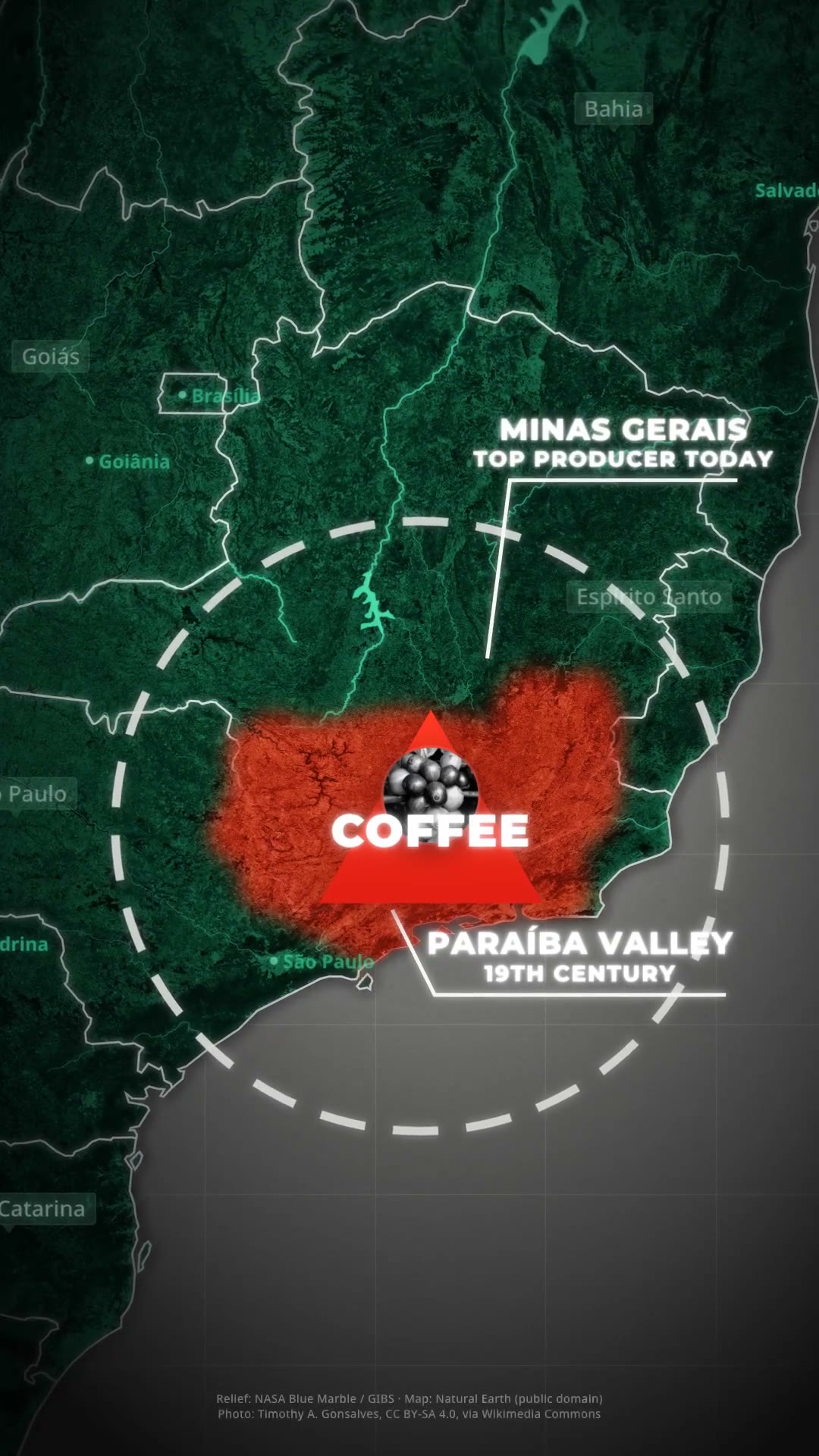
DetailsA dark satellite map, a country that lights up in blinking green, a spreading red region and documentary annotations, all in one camera dive with no cuts.
The look is that of history documentary maps. A dark satellite map over gray graph paper, with a heavy vignette, has the focus country lit in emerald green, blinking, with glowing white borders and lit-up rivers. A translucent red region with soft edges spreads in patches and closes into an area marked by a red triangle with white text. Everything happens in one continuous camera dive, with no cuts, with elbow-line callouts whose labels decode, a black-and-white portrait in a circle that flies into the triangle and a dashed circle that shrinks as it spins. The skill downloads NASA relief data and Natural Earth vectors (public domain) and synthesizes drums, an electric hum and data static. Requirements: Node 20 or newer, ffmpeg, python3 and an internet connection the first time, to download the map data. Cropping the portrait photo uses Vision on macOS 14 or newer, only if you need to crop.
- Data · 9:16 · 8 s
- Runs in Claude Code
- Advanced
The look is that of history documentary maps. A dark satellite map over gray graph paper, with a heavy vignette, has the focus country lit in emerald green, blinking, with glowing white borders and lit-up rivers. A translucent red region with soft edges spreads in patches and closes into an area marked by a red triangle with white text. Everything happens in one continuous camera dive, with no cuts, with elbow-line callouts whose labels decode, a black-and-white portrait in a circle that flies into the triangle and a dashed circle that shrinks as it spins. The skill downloads NASA relief data and Natural Earth vectors (public domain) and synthesizes drums, an electric hum and data static. Requirements: Node 20 or newer, ffmpeg, python3 and an internet connection the first time, to download the map data. Cropping the portrait photo uses Vision on macOS 14 or newer, only if you need to crop.
How to use
01
Copy the prompt
Use the Copy prompt button on this page.
02
Paste it into your AI
Open Claude Code in the project folder and paste the prompt.
03
Get the video
Claude delivers an MP4 ready to post.
In the package
- Prompt ready to copy and paste
- Video in 9:16, 8 s
- Skill as a .zip to install in Claude